Programming a Somfy remote control to operate a garage door seems simple on paper. Press a button on the receiver, press the button on the remote, wait for confirmation. The reality is more nuanced, as the procedure varies depending on the radio protocol used by the motor, and an error at this stage can erase the memory of the receiver or create conflicts between devices.
RTS or IO Protocol: The Distinction That Conditions All Programming
Before touching any button, you need to identify the radio protocol of the garage door motor. Somfy uses two main families: RTS (Radio Technology Somfy) and IO (IO-homecontrol). The protocol is embedded in the hardware, not just in the remote control.
The most significant difference concerns copying between remote controls. Direct duplication between two Somfy RTS Keygo remotes is impossible: you must go through the memory of the receiver or the motor to register a new remote. In IO, direct copying between compatible remotes is still possible, which simplifies adding a second transmitter.
To find out which protocol your motorization uses, check the motor’s manual or the label attached to the motor block. The mention “RTS” or “IO” is almost always present. If you can’t find this information, the exact model of the motor (Dexxo, GDK, Axroll) allows you to find the protocol in the Somfy documentation online.
A detailed guide on programming Somfy remote control for garage doors describes the steps specific to each protocol and each motor model.
Registering a Somfy RTS Remote on the Garage Motor Receiver
The RTS procedure is based on one principle: the receiver integrated into the motor stores the codes of the authorized remotes. Any new remote must be “learned” by this receiver.
Accessing the Programming Mode of the Receiver
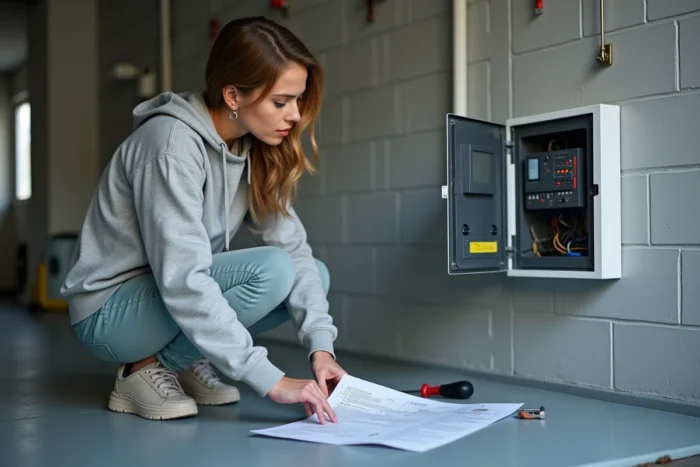
On most Somfy garage door motors, a “PROG” button is located directly on the motor block or on the receiver housing. Pressing this button until the receiver light flashes activates the learning mode. The time window is short, usually just a few seconds.
Then, press the desired button on the new remote. A brief movement of the door or a flashing light confirms the registration.
Case of Battery Replacement That Erases the Association
One point that manuals rarely mention: after changing the battery on certain Somfy remotes, the garage door may no longer respond. A simple battery replacement may require a complete reassociation with the receiver. If the remote no longer controls anything after inserting a new battery, you need to restart the registration procedure while being in immediate proximity to the receiver.
Common Errors When Programming Somfy Garage Remote
The majority of programming failures do not stem from hardware defects. They result from confusion about the procedure or unintentional manipulation of the receiver’s memory.
- Too long a press on the PROG button of the receiver: on some models, a prolonged press (seven seconds or more) erases all registered remotes. You then lose control of the door with your old transmitters and must reprogram everything from scratch.
- Wrong button selected on the remote: multi-button Keygo remotes allow assigning each button to a distinct device (gate, garage door, shutter). Programming the wrong button associates the garage door with a button already in use, creating a conflict.
- Distance too great between the remote and the receiver during learning: the registration procedure requires proximity of a few meters at most. Attempting to program from outside the garage often fails.
- Confusion between RTS and IO protocols: trying to register an RTS remote on an IO motor (or vice versa) produces no results. The two protocols are physically incompatible with each other.
Controlling Garage Door and Somfy Gate with a Single Remote
The question often arises on Somfy forums: can you control a gate and a garage door from the same transmitter? The answer depends again on the protocol.
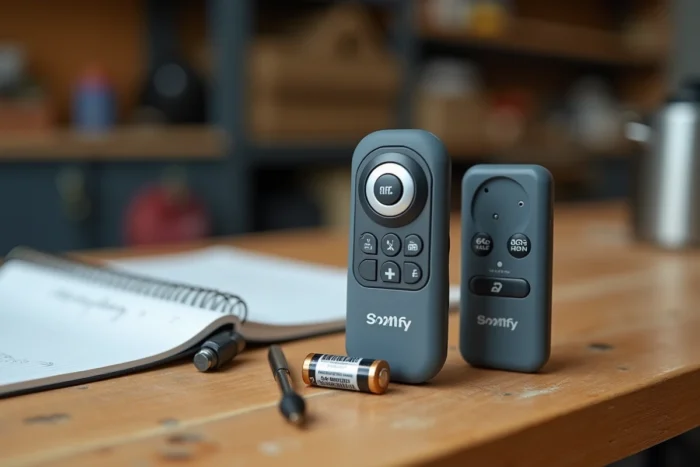
If both motorizations use the same protocol (both in RTS or both in IO), a multi-button remote like the Keygo allows assigning one button to each device. Each button is registered separately in the corresponding receiver.
However, if the gate operates in RTS and the garage door with a motor from another brand, you need to add a universal RTS receiver to the third-party motor. This receiver connects to the dry contact of the non-Somfy motor and receives commands from the Somfy remote. The universal RTS receiver transforms a third-party motor into a Somfy-compatible device.
Field reports vary on the reliability of this mixed solution: some users report latencies or occasional signal losses, while others have no issues after several years of use.
Complete Reset: When and How to Erase the Receiver’s Memory
A complete reset of the receiver deletes all stored remotes. This operation is justified in two specific cases: you have lost a programmed remote (security risk) or the receiver refuses to register new transmitters even though its capacity has not been reached.
The procedure varies depending on the motor model. On Dexxo Pro models, a prolonged press on the PROG button (usually seven seconds) erases the memory. After a reset, no remote works: you must reprogram each transmitter one by one.
Be sure to note the sequence of your remotes before starting this operation. If you have three or four transmitters (wall remotes, Keygo, wired wall control), re-registering them in the correct order avoids mixing up button assignments.
Programming a Somfy remote for a garage door remains accessible as long as you follow one simple rule: identify the radio protocol before any manipulation, and never improvise a prolonged press on the PROG button without knowing the exact consequence on the receiver’s memory.